Open source · MIT licensed · Flutter
Crowley's
Instruments
Five instrument components for Flutter apps: an analog gauge, an LED bar meter, an LCD readout, an oscilloscope and a submarine sonar screen. The needles, light windows and digits are photographs that get rotated, clipped and revealed instead of drawn, so the instruments keep the shading and grain of a real shot. The compiled build is running lower down this page.
- MIT license
- Android and web from one source
- No third party requests
- Own controller per component
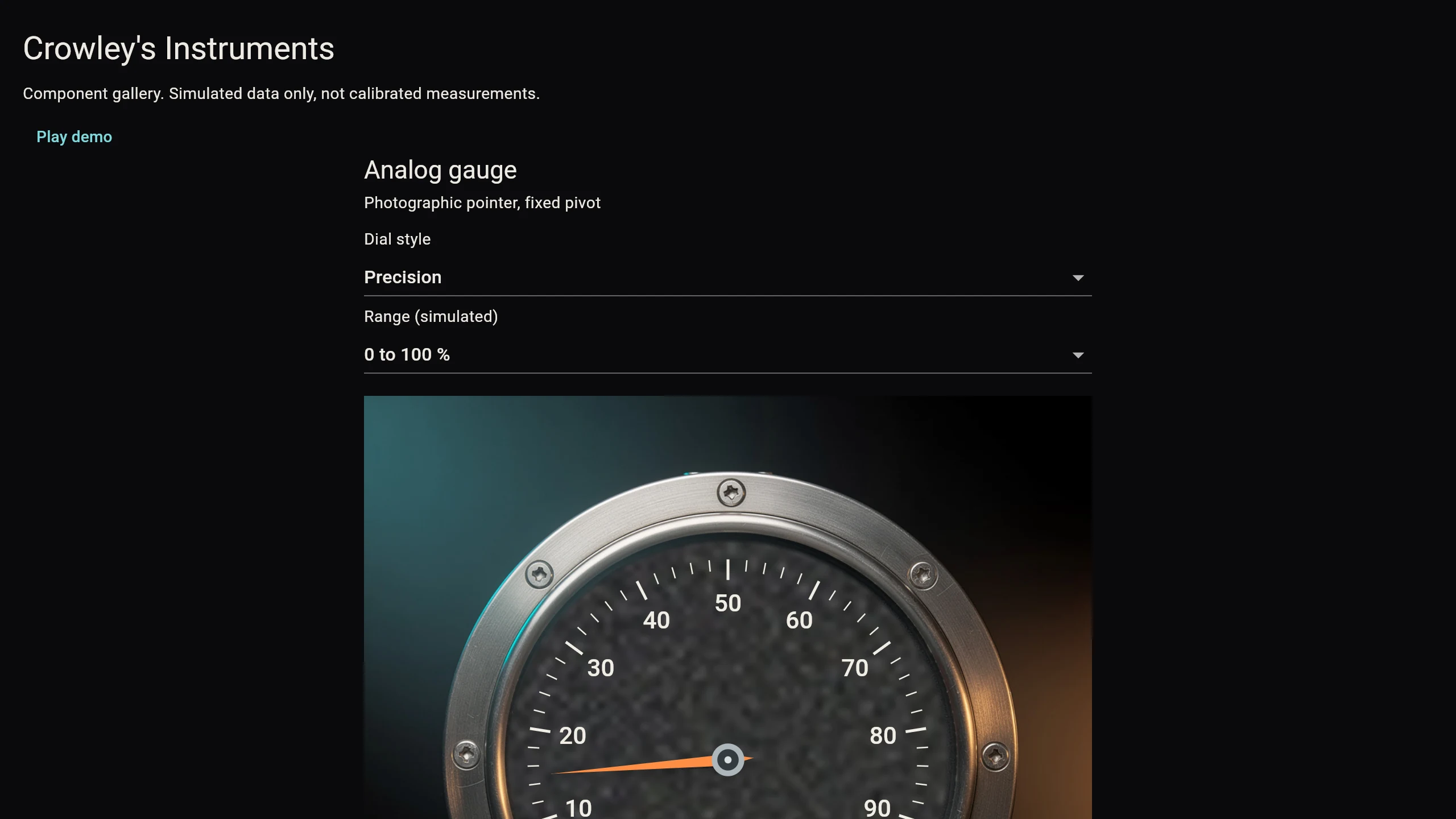
The demo, running here
What you see below is the compiled web build inside this page, not a screen recording. Drag a slider, press Randomize, or hit Play demo and every instrument animates at once. The values are made up in the browser, so treat the readings as decoration rather than measurement.
First load pulls roughly 12 MB in Chrome, most of it the CanvasKit engine, and the browser caches it afterwards. The app makes no requests outside this domain once loaded.
What is in the box
Each component is a widget you can drop into a dark dashboard, with its own controller so one instrument never disturbs another.
-
Analog gauge
A cleaned photo housing with the ticks, numbers, unit label and needle drawn in code over it, which is what lets the scale change. Three dial styles (precision, minimal, warning band) and three ranges (0 to 100 percent, 0 to 10 bar, minus 50 to 50 degrees Celsius), all on one 270 degree mapping.
-
LED bar meter
Twelve light windows photographed in place, four cyan, four amber, four red, with a matched shot of the same housing unlit. Segments light bottom up as whole cells, so you never see a half lit window.
-
LCD readout
Five fixed width cells sliced out of one photographic digit sheet, with the decimal point sitting in the gutter between cells rather than taking a slot of its own. Zero to four decimal places, negative values supported, overflow clamps at the five digit capacity.
-
Oscilloscope
A photo of a screen with no trace on it, plus one small photograph of a glowing segment that gets stretched and rotated between each pair of data points. The path is computed, the pixels are a photo.
-
Radial scanner
A photographic sonar housing with a phosphor sweep drawn over the screen. Feed it contacts and it plots each one with an id, a blip and a course arrow that stops at the edge of the circle. Sixty four contacts maximum, invalid ones are skipped.
-
Gallery screen
The screen you just used: a scrolling dark layout with a slider, a randomize button, a JSON editor and a play toggle per instrument. It is the reference for wiring the five together.
How a photograph becomes a moving part
Generating a housing, a needle and a face from three separate prompts gives you three photos that disagree about lighting and angle. The project avoids that by generating one assembled instrument at a known pose and cutting it apart afterwards.
- Generate a single photoreal instrument with the moving part parked at a described position, for example a needle pointing straight down at the left end of the scale.
- Split that image with Pillow: mask the moving part into its own transparent sprite, then rebuild a clean base plate by cloning texture from elsewhere on the same face. Both layers come from one photo, so the lighting already agrees.
- Rotate the sprite about the pivot it occupied in the source shot. That is the whole animation on the gauge, the sonar sweep and the letter rings.
- For light meters, shoot the same physical strip lit and unlit, then reveal the lit photo over the dark one with a clip rectangle sized to the current value.
- For digits, shoot one reference sheet and slice it into cells. For the trace, place and rotate copies of a single glowing segment photo between data points.
The repository documents the pipeline, the measured sprite geometry and the check list to run before shipping a new split in assets/PIPELINE.md.
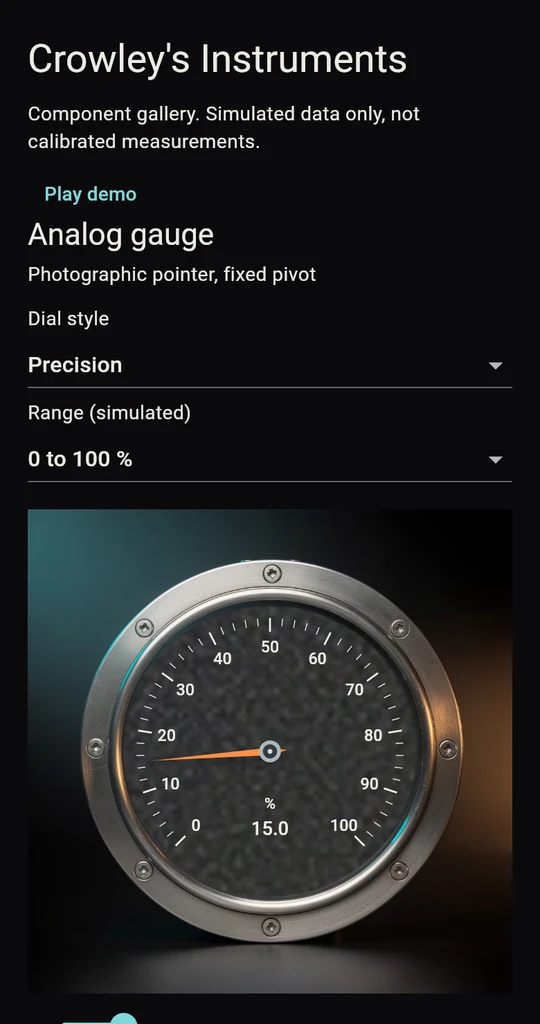
The gallery on a 390 pixel wide viewport. Touch, mouse and keyboard all work.
Point it at your own data
Every component takes an optional controller, and each controller owns one instrument's state. Send a JSON object in and the instrument switches to that snapshot; send another and it replaces the first. Nothing else on screen changes, and there is no shared global controller to fight with.
// The sonar takes a full contact snapshot and drops back to simulation on request.
final controller = SonarController();
controller.updateJson(await File('examples/sonar_snapshot.json').readAsString());
SonarPanel(controller: controller, assets: assets, angle: sweepAngle);
Schemas for all five components live in docs/instrument-json.md, with worked inputs in examples/ and a separate guide for the sonar feed in docs/sonar-json.md. The widgets read no network and ask for no location permission, so you supply the data from whatever adapter you already have.
Get the code
The repository holds the widgets, the gallery screen, the prepared image layers and the Python scripts that produced them. Clone it or grab the zip, then run it on a phone or a browser.
git clone https://github.com/OnlineTechSupportBiz/crowleys-instruments.git
cd crowleys-instruments
flutter pub get
flutter test
flutter run -d <your device>

# Android build
flutter build apk --debug

# Web build, self contained output in build/web
flutter build web --release --base-href /your/path/
Built with Flutter 3.47 and Dart 3.13, no plugins beyond the Flutter SDK, no API keys and nothing to configure.
License
MIT. Use it in commercial products, change it, ship it, no fee and no permission needed. Keep the copyright notice and the license text with any copy you redistribute, and note that the software comes with no warranty.
- MIT license
- 2026 Online Tech Support LLC
The image assets are part of the same repository and carry the same license. They were generated for this project, so there is nothing third party to clear.